

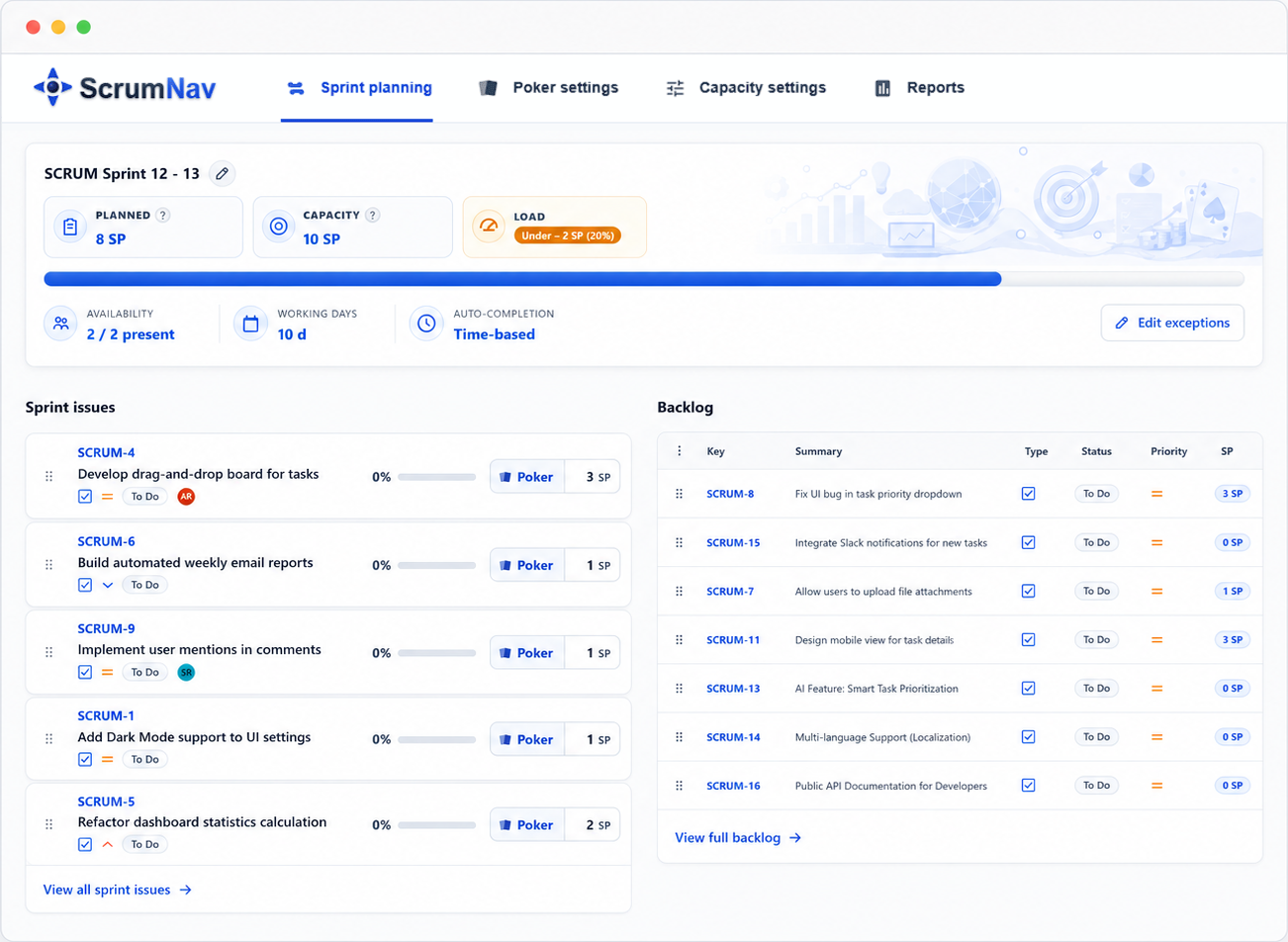
Best answer In Sprint Planning, run: Sprint Goal → capacity & carry-over → ticket review, estimation & scope → scope trade-offs → final check. The article uses a 90-minute example (5 + 10 + 60 + 10 + 5 min); stretch the middle block when your team needs longer. Most time should go to issues already in an unstarted Jira sprint, not shopping the Product Backlog or recalculating capacity. Keep planned load visible in ScrumNav’s planning view the whole time.
Example agenda (90 minutes)
The table uses 90 minutes as an example scale: not a target every team must hit. Two to three hours is normal when more refinement work or Poker happens in the room. The times are a sequence: capacity before scope review, trade-offs before Start sprint, not a stopwatch. The agenda assumes an unwritten block zero: on the Jira Backlog, create the next sprint before planning ( Create sprint: it stays unstarted; see how to create a sprint in Jira). During refinement, tickets are refined with the PO and Developers who will do the work, with the Scrum Master helping keep refinement effective, then placed into that sprint. The unstarted sprint is a planning draft, not confirmed scope yet: issues are candidates until the team agrees in planning. Planning reviews what is already there; it does not browse the Product Backlog for new items.
| Time | Block | Outcome |
|---|---|---|
| 0:00 – 0:05 | Sprint Goal & context | Sprint Goal and planning focus for this sprint |
| 0:05 – 0:15 | Capacity & carry-over | Available budget for new work (capacity minus carry-over remaining load) |
| 0:15 – 1:15 | Ticket review, estimation & scope | Issues already in the unstarted sprint walked through, DoR-checked, estimated (Poker); not-ready or excess items moved back to the Product Backlog |
| 1:15 – 1:25 | Scope trade-offs | Remove or swap items if planned load is above the target (often 85–95% of capacity) |
| 1:25 – 1:30 | Final check & start sprint | Sprint Goal, load, buffer, forecast, then Start sprint to activate the sprint you prepared on the backlog |
0:00 – 0:05 · Sprint Goal and context
Agree the Sprint Goal in one sentence and what “done” looks like for this sprint. Skip the long retrospective, save that for the Sprint Retrospective. A quick glance at closed-sprint history is enough if the team needs calibration ( velocity vs. capacity).
0:05 – 0:15 · Capacity and carry-over
Ten minutes, not thirty. Carry-over remaining load comes first, before anyone debates new scope. See how to handle sprint carry-over for the planning-load math. The checklist is short, you are verifying numbers, not building them from scratch:
- Who is in the sprint? Confirm the roster matches reality ( capacity settings).
- Any holidays or absences? Mark sprint-specific time off if the defaults miss something.
- Open issues already in the sprint. ScrumNav does not tag “carry-over” separately, it treats every non-Done issue in the selected sprint as open work. Completion % on each is filled from your completion model (status map or closed-sprint history). The team glances that it looks right and adjusts manually if someone knows better ( carry-over guide).
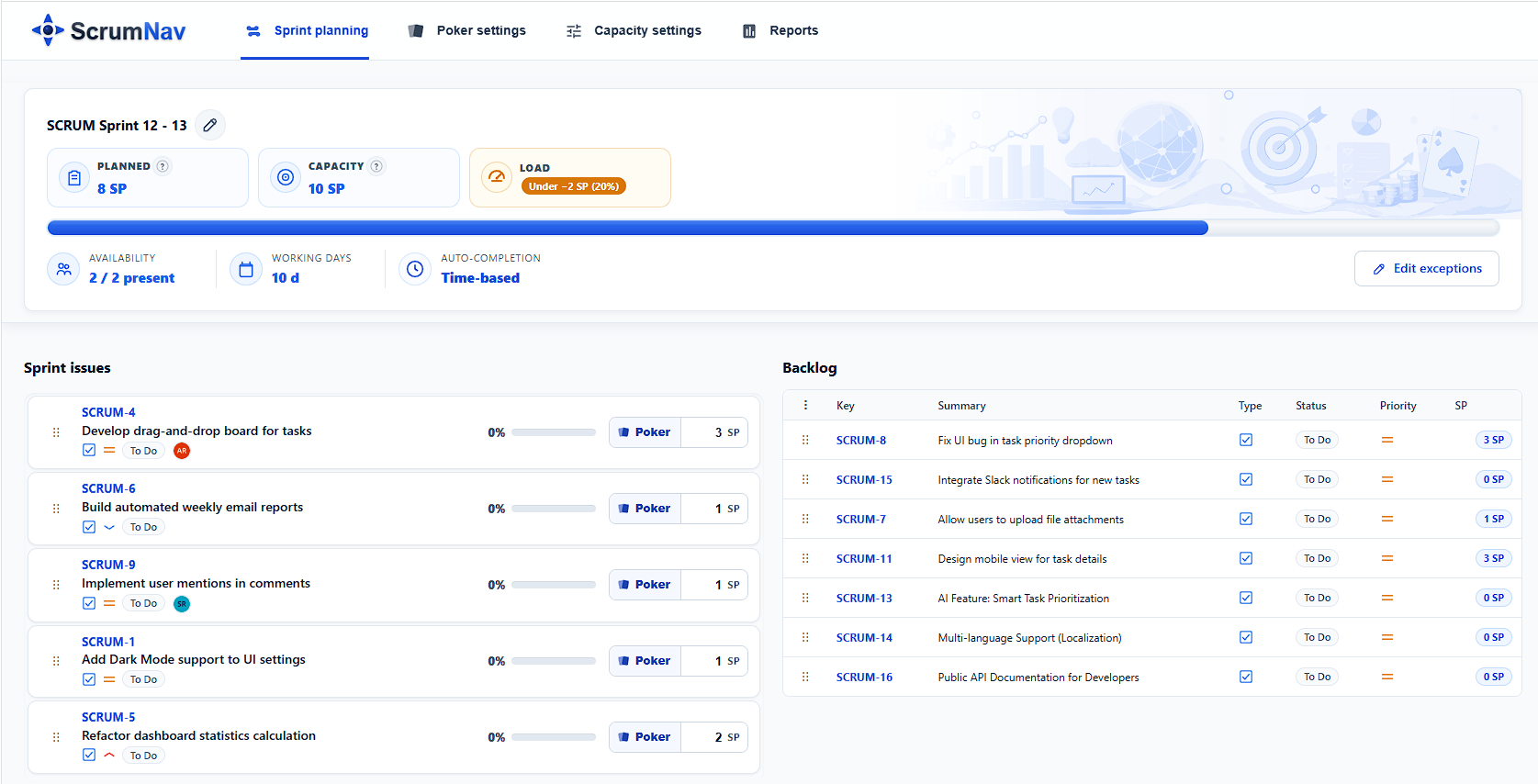
- Read the bar. ScrumNav estimates capacity from historical throughput adjusted by this sprint’s available person-days, not a hand-typed SP guess, and shows planned load (remaining story points on open sprint issues) beside it. An OK / Over / Under badge shows how the two compare; read the gap from those figures, there is no separate “remaining capacity” KPI. Your planning target (e.g. 90%) is a team convention, compare it to planned load yourself. In ScrumNav, select this unstarted sprint so the bar reflects what is already in scope.
0:15 – 1:15 · Ticket review, estimation, and scope
Refinement belongs before this hour, not during it. The sprint already exists on the Jira backlog with issues in it, acceptance criteria, dependencies, and artefacts such as UI mockups or API sketches were written with Developers before planning. Nothing in that draft sprint is committed until this meeting confirms it. Planning is where the whole team walks those issues in backlog order, confirming everyone understands scope and that each item meets your team’s Definition of Ready (DoR). You are not dragging new tickets in from the Product Backlog.
For each issue already in the unstarted sprint, in priority order:
- Walkthrough. Quick read of scope, everyone should already know the gist from refinement. If something is still unclear, that is a signal the ticket is not ready.
- DoR gate. Not ready (missing mocks, vague AC, unknown dependencies, needs a spike)? Move it back to the Product Backlog: out of the sprint, and send it to refinement; do not “fix it live” in planning.
- Estimate, then keep. When the item passes DoR, run Scrum Poker if story points are missing. It stays in the sprint.
- Trim if over budget. Watch planned load in ScrumNav’s planning view. If load is above your planning target (e.g. 90% of capacity) or the badge shows Over, mark lower-priority issues to move back to the Product Backlog in the trade-off round.
Only estimate issues in this sprint, not the rest of the Product Backlog. The meeting trims and confirms; it does not build scope from scratch.
1:15 – 1:25 · Scope trade-offs
If planned load is still above the team’s target (typically 85–95% of capacity), the Product Owner and Developers move the lowest-priority issues back to the Product Backlog until the numbers fit. Do not browse for new work mid-meeting, only swap in backup items that were already refined and pre-ranked. ScrumNav counts every issue in the sprint toward planned load, so mutual alternates (e.g. an 8 SP and a 5 SP version of the same scope) should not both stay in the draft sprint at once.
1:25 – 1:30 · Final check and start sprint
Read the Sprint Goal aloud. Confirm load, buffer, and carry-over totals one last time. When the Developers forecast the scope left in the sprint, click Start sprint on the Jira backlog, that activates the sprint you created and refined earlier; it was never “empty planning then fill at the last minute.” Issues you moved out during planning are already back on the Product Backlog.
Worked example: what the numbers look like on the board
A six-person Scrum Team plans a two-week sprint in Jira with ScrumNav. The sprint was created on the backlog last week; carry-over and new candidate issues were refined and placed into it during refinement. Two issues are carry-over from the previous close. During 0:05–0:15 the team confirms the roster, marks one holiday, and checks auto-filled completion % on those open issues (PROJ-19 nudged from 40% to 50%). Capacity 40 SP comes from historical throughput adjusted for this sprint’s person-days, the rounded illustration below, not a manual formula. Here is what the planning view shows at each block.
| Agenda block | What the team agrees | Running total / status |
|---|---|---|
| Sprint Goal (0:00 – 0:05) | “Finish checkout flow and deploy to staging.” | Focus set, no number change |
| Capacity & carry-over (0:05 – 0:15) |
Confirm roster; mark 1 shared holiday. Bar: capacity 40 SP (throughput
adjusted for person-days) Open in sprint: PROJ-12 @ 75% → 2 SP remaining; PROJ-19 @ 50% → 2 SP remaining → 4 SP planned load so far (not 13 SP at full estimate) |
Bar remaining: 36 SP. Team’s 90% target = 36 SP total planned load → 32 SP headroom for new items (team math, not a separate KPI). Under target |
| Ticket review, estimation & scope (0:15 – 1:15) | Issues walked through: 8 + 5 + 13 + 8 (Poker on last → 8, not 5). A 5 SP backup for the same feature was refined and ranked on the Product Backlog, not in the sprint yet. | 34 SP new + 4 carry = 38 SP , over target (38 > 36 SP goal), still under capacity (38 < 40 SP). ScrumNav badge may still show OK. |
| Scope trade-offs (1:15 – 1:25) | Move the 8 SP issue back to the Product Backlog; move the pre-ranked 5 SP backup in (one swap, not a backlog browse) | 31 SP new + 4 carry = 35 SP: in buffer zone (~88% of capacity) |
| Final check (1:25 – 1:30) | 35 SP on a 40 SP budget (87.5%). Sprint Goal read aloud. Start sprint: activates the draft sprint the team just confirmed. | In buffer zone: near 90% target, under capacity |
| Label | Meaning | Example (40 SP capacity, 90% target = 36 SP) |
|---|---|---|
| Under target | Room to add more scope before hitting the planning buffer | e.g. 32 SP planned |
| In buffer zone | At or near the agreed target (often 85–95% of capacity) | e.g. 35–36 SP planned |
| Over target | Above the planning buffer, but still under raw capacity, trade-off territory | e.g. 38 SP planned |
| Over capacity | Above the capacity model, ScrumNav shows the Over badge | e.g. 42 SP planned |
Over target (e.g. 38 SP when the team aims for 36) is not the same as over capacity (badge Over). The bar’s remaining is total slack; “room for new items” is team math on top.
How long should planning take?
Duration depends more on how ready the draft sprint is than on sprint length alone. When refinement is thin, planning often takes two to three hours even on a two-week sprint.
| Situation | Typical duration | Adjust |
|---|---|---|
| Draft sprint ready, DoR met, few new estimates | ~90 minutes (example above) | Use the table as written |
| Partial prep, Poker on several items | ~2 hours | Extend ticket-review block; keep trade-off round |
| Many unclear items or missing estimates | 2–3 hours | Extend ticket-review block; same sequence |
| 3–4 week sprint, large scope | 2–3 hours or split sessions | Extend ticket-review; consider two shorter meetings |
Agenda mistakes to avoid
- Creating scope only when you click Start sprint. Create the sprint on the backlog early, refine issues into it in refinement, planning reviews and trims that sprint, it does not fill an empty one at the end.
- Shopping the Product Backlog in planning. Issues should already be in the unstarted sprint from refinement, do not drag new tickets in during the meeting.
- Refining work in sprint planning. If a ticket still needs mocks, AC, or a spike, it fails DoR, move it back to the Product Backlog and send it to refinement.
- Skipping carry-over math. See the worked example, full estimates on in-progress work inflate planned load before new scope is discussed.
- Skipping the trade-off round. Cut scope in the 1:15–1:25 block, not mid-sprint.
- Starting the sprint without checking target and capacity. Over target may still be under raw capacity (e.g. 38 SP on a 40 SP bar can show OK), but it should trigger a trade-off. See OK / Over / Under and the over target vs. over capacity distinction.
Frequently asked questions
- How long should sprint planning take in Scrum?
- No fixed rule. Two to three hours is common when work still happens in the room. The 90-minute blocks in this article are an example for a ready draft sprint , stretch ticket review for longer sessions; the order stays the same.
- Who should attend sprint planning in Jira?
- The full Scrum Team, Developers, Product Owner, and Scrum Master.
- Should sprint planning estimate every backlog item?
- No. Estimate only issues in the unstarted sprint (candidates for this sprint), not the whole Product Backlog. Run Scrum Poker on items that pass Definition of Ready and still need points; skip or defer everything else.
- Should sprint candidates already be in Jira before sprint planning?
- Yes, for this workflow. Create sprint on the Jira backlog before the meeting, refine issues with the PO and Developers, and place candidates into that unstarted sprint. It is a planning draft until the team confirms scope and clicks Start sprint.
- What happens if an issue fails Definition of Ready during planning?
- Move it back to the Product Backlog and out of the sprint, do not refine issues live in the meeting. Send it to backlog refinement (missing acceptance criteria, mocks, dependencies, or a needed spike). The team commits only to items that are ready.
Want to see this workflow in practice? Try the ScrumNav interactive demo with sample Jira data.