

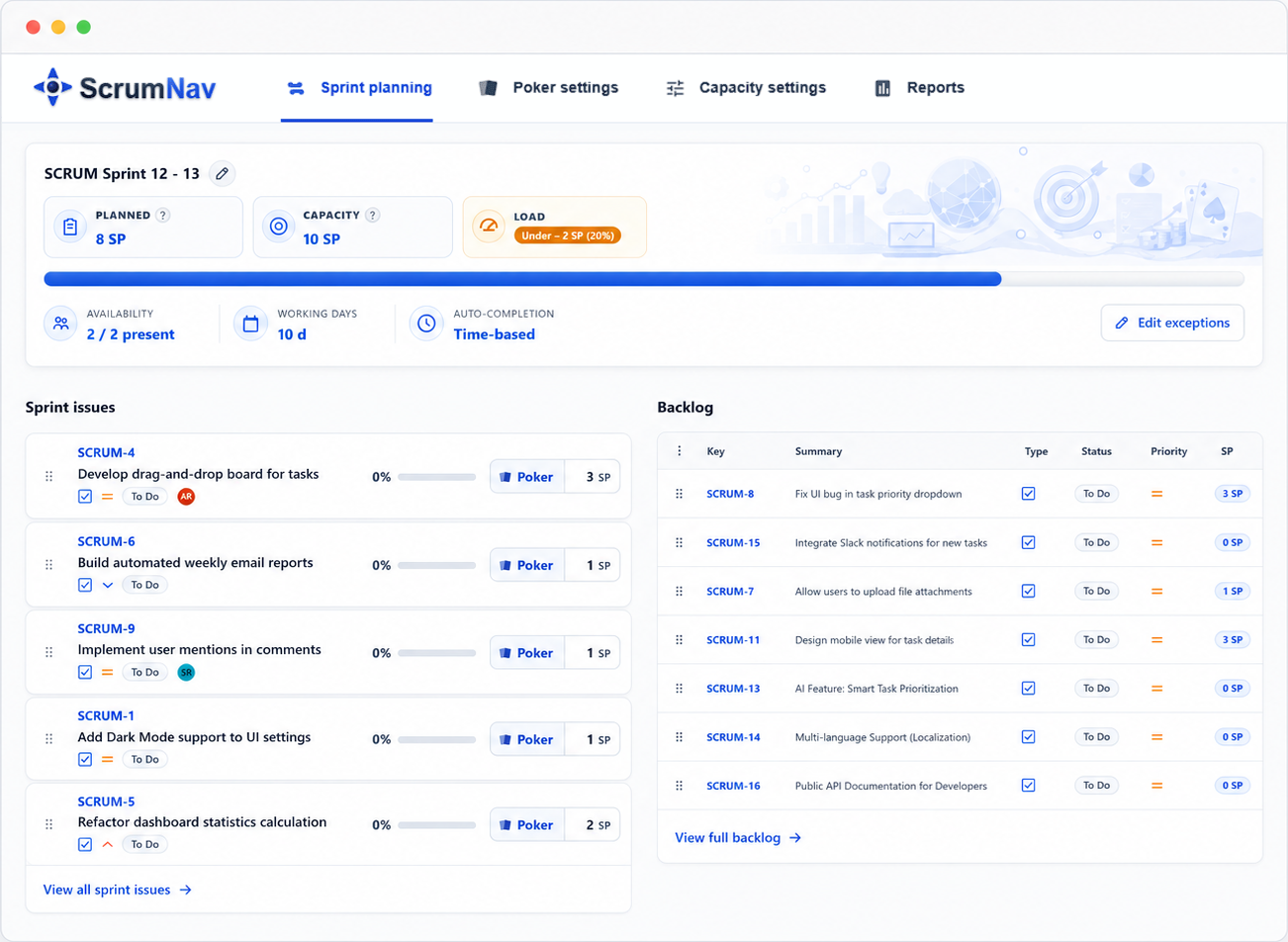
Best answer Carry-over issues should consume remaining story points in the next sprint, not the full estimate. Use completion % (from status, logged time, or a team override) so an 8-point issue at 75% done only adds ~2 points to planned load, then fill the rest of the sprint against capacity. Remaining story points are a planning-load estimate: not a rewrite of the original estimate or velocity history.
What sprint carry-over is in Jira
Sprint carry-over is work that was in the sprint scope but did not reach Done before the sprint ended. In Jira Software Cloud, those issues stay on the board, usually moved into the next sprint or back to the backlog when you complete the sprint.
Carry-over is normal. Unexpected bugs, scope clarification, dependencies, and optimistic estimates all contribute. The problem is not that work rolls forward, it is how teams plan the next sprint when that work is still in flight. After sprints close, measure rollover trends with the Jira carry over stories report before the next planning session.
If you already read how to plan a realistic sprint in Jira, carry-over is step three in that flow. This article goes deeper on the math and habits teams need so carry-over does not silently eat capacity.
Why full story points break the next sprint
Story points describe relative size, not hours, but effort compared to other issues. When an issue carries over, most of that effort is often already spent. Counting the full estimate again treats unfinished work as if the team is starting from zero.
| Issue | Estimate | Completion | Remaining load (planning) |
|---|---|---|---|
| PROJ-42 (carry-over) | 8 SP | 75% | 2 SP (8 × 25%) |
| PROJ-51 (new) | 5 SP | 0% | 5 SP |
| Planned load if modeled correctly | 7 SP | ||
| If carry-over counted at full estimate | 13 SP | ||
You are not changing the original 8 SP estimate in Jira, you are modeling how much capacity the unfinished work is likely to consume next sprint. Story points are not hour tracking; the math is a planning heuristic, not precision engineering.
That gap, 6 story points in this example, is how teams end up planning “38 points again” when half the sprint is already spoken for by nearly-done tickets. Velocity from the closed sprint will look low (only Done work counts), while the next sprint scope still feels full. See velocity vs. capacity in Jira for why past Done SP and forward load are different numbers.
What Jira does when a sprint closes
Jira handles carry-over at the issue level, not at the capacity level:
- Velocity: only issues in the Done column at sprint end count toward completed story points. Unfinished work does not inflate velocity.
- Sprint scope: when you complete a sprint, Jira asks what to do with open issues (move to backlog or next sprint). Their story point field stays unchanged.
- Planning view: Jira sums story points on issues in the sprint. It does not, by default, reduce that sum for work already in progress.
So Jira knows which issues carried over and what was completed, but it does not automatically answer “how much capacity is left for new work?” That gap is where double-counting happens unless the team models remaining load explicitly.
Three ways to model remaining work
Pick one approach the team can apply consistently during sprint planning. Mixed rules sprint to sprint make carry-over harder to trust.
- Status-based completion. Map each Jira workflow status to a completion percentage, for example, To Do = 0%, In Progress = 40%, In Review = 80%, Done = 100%. Remaining load = estimate × (1 − status completion %). Simple and visible on the board.
- Time-based completion. Use worklogs from closed sprints to estimate typical logged hours per story point, then compare logged time on the issue to its share of the estimate. Better when status columns are coarse but the team logs time reliably.
- Manual override at planning. The assignee or team agrees “this is ~90% done” and sets completion % for that issue before locking scope, a team judgment, not ground truth. Useful for one-off carry-over items that do not match the status map.
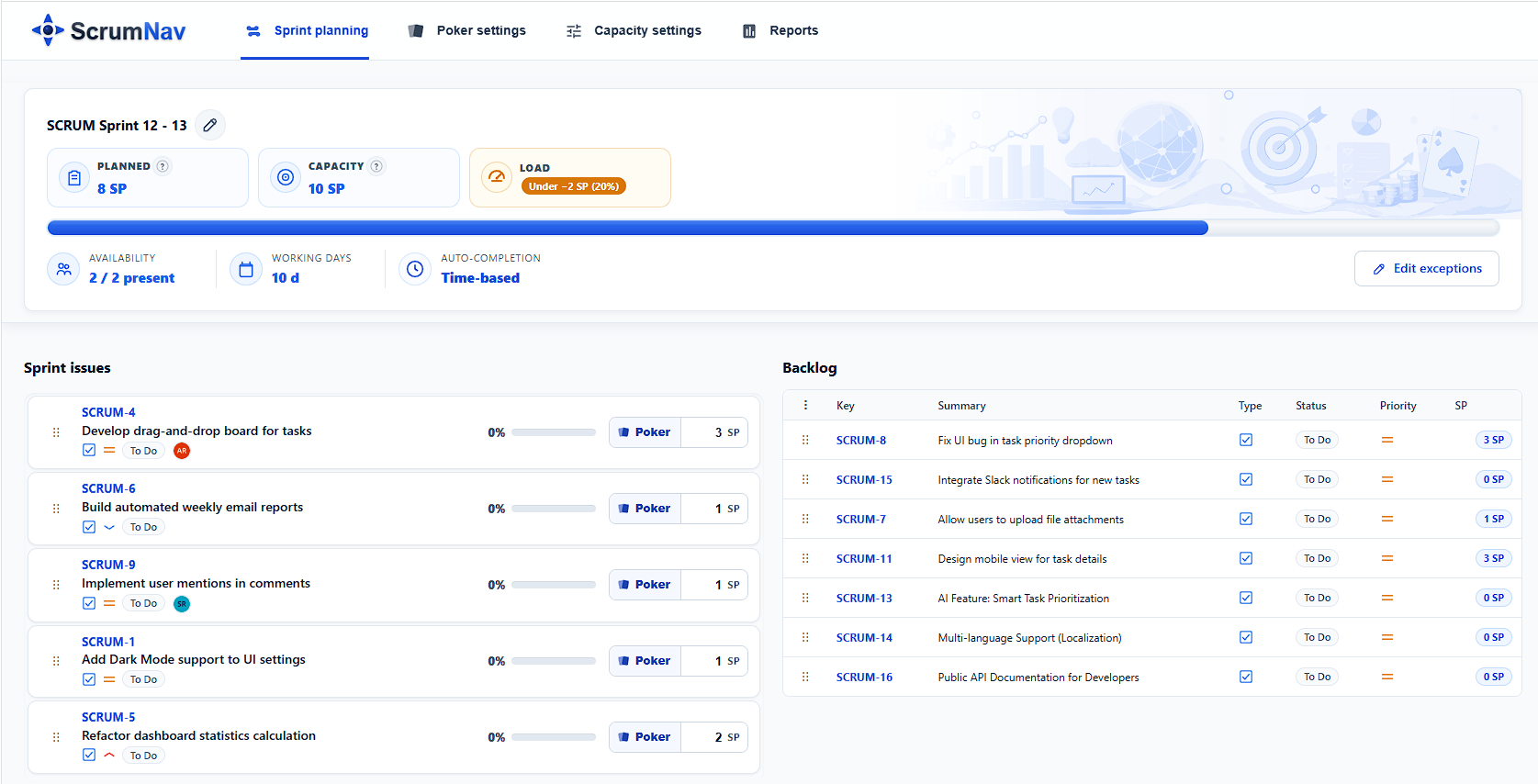
ScrumNav supports all three via the board completion model and optional per-issue overrides in the planning view. Remaining story points are a planning-load estimate, not a rewrite of the original estimate or velocity history. The goal is the same whether you use a spreadsheet or an app: planned load should reflect remaining work, not original estimates on finished-in-all-but-name tickets.
A carry-over workflow at sprint planning
Run this sequence at the start of planning, before confirming new scope in the sprint:
- List carry-over issues. Every open issue from the previous sprint (or explicitly moved into this one). Note owner, status, and original estimate.
- Set completion % on each. Use status mapping, time logged, or a quick team check-in. Completion % is a planning signal, not a promise. Use the team’s best shared guess to avoid double-counting, refined over time from sprint reports. Update overrides where status lies: “In Review” for three days might be 85%, not 80%.
- Sum remaining load. Add remaining story points for all carry-over items (estimate × (1 − completion %)). That is a planning-load heuristic for this sprint, not a new story point estimate. It is the first slice of this sprint’s planned load.
- Subtract from capacity. With team capacity calculated (working days, time off, efficiency), subtract carry-over remaining load. What is left is the budget for new work.
- Confirm new scope to the remaining budget. Walk issues already in the unstarted sprint (placed during refinement), estimate with Poker if needed, and trim until total planned load reaches your target, often 85–95% of capacity, carry-over included. Jira lets you drag from the backlog during planning, but pre-scoped draft sprints avoid mid-meeting backlog shopping. See the sprint planning agenda.
- Review after close. In sprint reports, note how much carry-over you had and whether completion estimates were accurate. Adjust status maps or buffers if carry-over is consistently high.
Common carry-over mistakes
- Treating carry-over as “free” capacity. Ignoring open issues and planning a full sprint of new work on top guarantees another overflow.
- Always using 100% of the original estimate. The most common double-counting error, especially for issues in Review or Testing.
- Assuming “almost done” means zero load. Review, testing, merge conflicts, and rework still consume capacity. A ticket at 90% done should not drop off the planning bar entirely.
- Splitting issues to “reset” points. Creating sub-tasks or re-estimating mid-sprint to hide carry-over breaks history and forecast error tracking.
- No shared completion rules. If every developer guesses differently, planned load is fiction. Agree on status → % mapping or a planning-time ritual.
- Blaming velocity instead of load. Low Done SP last sprint is often a carry-over symptom, not proof the team suddenly slowed down. Check Jira sprint reports for planned vs delivered and forecast error before adding more scope.
- Carry-over in a spreadsheet, new work in Jira. Two views diverge within minutes. Keep remaining load and new scope in one planning surface.
Keep carry-over visible during planning
ScrumNav makes carry-over visible before new scope is added, so the sprint does not start over-filled by work that was already in progress. Completion from status or time, manual overrides on tickets, and a live planned-load bar in sprint planning connect carry-over to sprint capacity, so the team and Product Owner negotiate new scope with the same numbers.
New to the app? See the getting started guide.
Frequently asked questions
- What is sprint carry-over in Jira?
- Unfinished work from a closed sprint that continues in the next sprint. Issues that did not reach Done are moved to the backlog or next sprint; they still need team time even though their story point field is unchanged.
- Should carry-over issues count at full story points?
- Usually not. Use remaining story points, estimate × (1 − completion %), as a planning-load heuristic. You are not rewriting the original estimate; you are modeling how much capacity unfinished work is likely to consume next sprint.
- Does carry-over affect velocity in Jira?
- No. Velocity counts only Done issues. Carry-over affects how much new work fits in the next sprint, a capacity and load question, not completed velocity.
- How do you move unfinished issues to the next sprint in Jira?
- When completing a sprint, choose to move open issues to the next sprint or backlog. During planning, confirm carry-over items in the sprint scope, model remaining work, then confirm or trim pre-refined candidates, not an open-ended backlog drag.
- What is completion percentage for carry-over?
- The team’s best shared guess of how much work is already done: a planning signal, not a promise. From workflow status, logged time, or a manual override. Remaining load = story points × (1 − completion %) for planning only; refine the model from sprint reports. Details are in the capacity guide.
Want to see this workflow in practice? Try the ScrumNav interactive demo with sample Jira data.